Command Palette
Almost every action in Peek can be reached from the command palette. Jump to nodes, pages or connections, re-run queries, export data or change the theme.
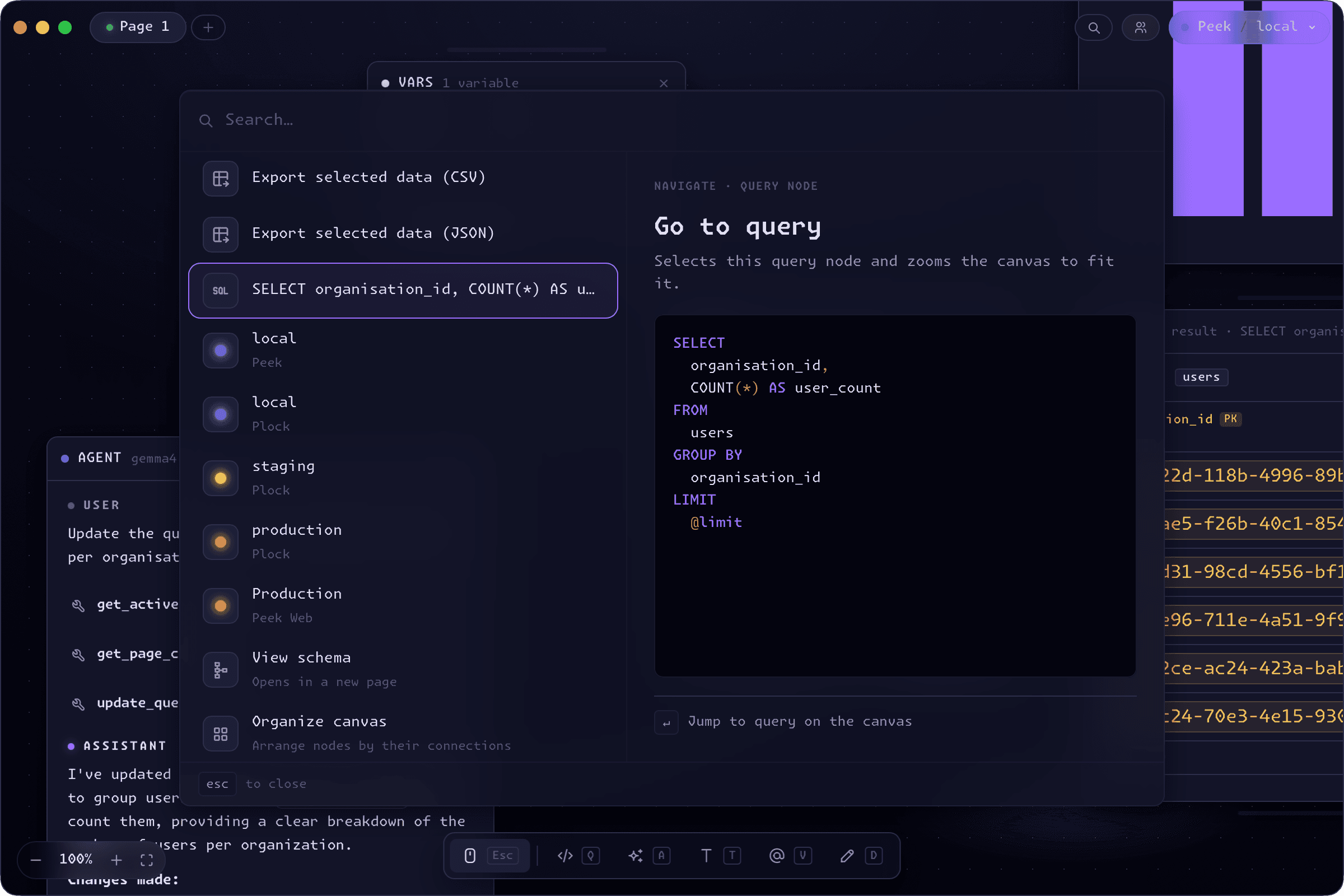
Open from anywhere
Press P to open the palette from any canvas, on any page. Start typing and the list filters as you go - the search is fuzzy, so thm finds Set theme to Midnight and exp surfaces the export commands. Arrow keys move the selection, Enter runs it, and esc dismisses the palette without touching the canvas.
A preview pane sits alongside the results, so before you commit to a command you can see what it'll do: a theme swatch, the SQL a jump-to-query entry will land on, or the rows an export will write.
Run any action
The palette gathers up the things you'd otherwise hunt through menus for: rerun every query on the page or just the selected ones, organize the canvas, open a fresh page, close the current one, or jump to the next. It even views the full schema of the active connection on a dedicated page.
For the nodes you reach for constantly there are direct keys too - Q drops a Query, A an Agent, V a Variable, T Text, and D Draw - but the palette is always there when a shortcut slips your mind.
Jump straight to anything
As a canvas fills up, the palette becomes the fastest way around it. Search by name to jump to a page, a query node, or a table in your schema, and Peek pans the camera straight to it - switching pages first if it lives on another one.
More than nodes
The palette reaches the rest of the app, too. Switch between the Pine, Midnight, and Midday themes, point the canvas at a different connection, export selected results to CSV or JSON, or host and join a multiplayer session - all without leaving the keyboard.